Website Templates vs Themes: What’s the Difference & Which Should You Choose?
If you’re planning to build a website, you’ve probably come across two common terms: templates and themes.
At first glance, they seem similar. But choosing the right one can make your workflow faster, smoother, and more efficient.
In this guide, you’ll learn the difference — and more importantly, which option is right for you.
What is a Website Template?
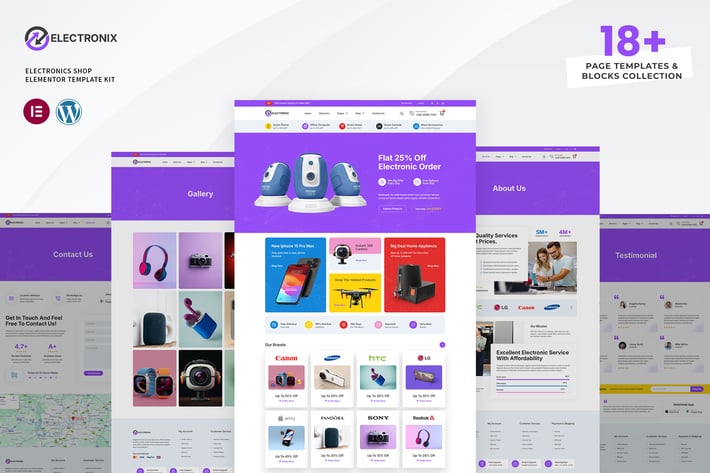
A website template is a pre-designed page layout you can import and customize.
Instead of starting from scratch, you simply replace the demo content with your own — text, images, and branding.
Templates are commonly used with builders like Elementor, making them ideal for beginners and professionals alike.
Key Benefits of Templates:
- Fast to launch
- Easy to customize
- No coding required
- Ideal for business websites and landing pages
If you want to skip the setup process, you can explore a complete collection of ready-made designs HERE
What is a Website Theme?
A website theme is a complete design system that controls the overall structure of your website.
This includes:
- Header and footer
- Blog layout
- Page structure
- Global design settings
Themes are typically installed on WordPress and act as the foundation of your website.
Key Benefits of Themes:
- Full website structure
- Consistent design
- Greater flexibility for complex websites
Templates vs Themes: Key Differences
| Templates | Themes |
|---|---|
| Pre-designed page layouts | Full website framework |
| Faster to use | Requires more setup |
| Beginner-friendly | More advanced customization |
| Ideal for quick launches | Ideal for large websites |
When Should You Use Templates?
Templates are perfect if you:
- Want to launch quickly
- Prefer a simple drag-and-drop system
- Need a professional design without starting from scratch
For most businesses, this is the fastest way to get online. You can get access to 1,500+ premium templates here
When Should You Use Themes?
Themes are better if you:
- Need a fully customized website
- Are building a large or complex platform
- Want deeper control over functionality
For advanced projects, combining a theme with expert customization delivers the best results.
The Smart Approach (What Most Professionals Do)
Here’s the truth:
Most experienced web designers don’t always build from scratch.
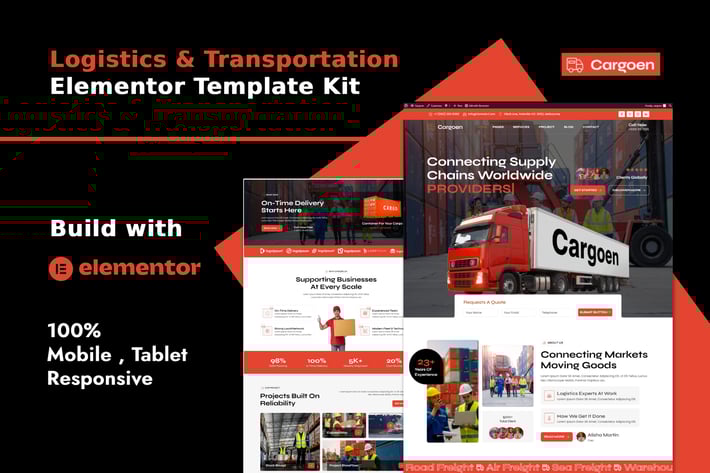
They use templates as a starting point, then customize them to match the client’s needs.
This approach:
- Saves time
- Maintains high design quality
- Improves delivery speed
If you prefer a done-for-you solution, you can hire a professional to handle everything for you
Best Option for Most People
If your goal is to:
- Launch quickly
- Keep things simple
- Stay efficient
Templates are your best starting point. You can always scale later as your business grows.
Ready to Build Your Website Faster?
Instead of spending days figuring things out, you can start with a proven system.
With the right templates, you can:
- Launch in hours
- Customize easily
- Build for yourself or clients
Click here to get instant access to premium templates
Or Get a Custom Website Built for You
If you want a unique, fully tailored website designed specifically for your business:
Explore professional web design services here
Final Thoughts
Templates and themes both have their place.
- Templates = speed and simplicity
- Themes = structure and flexibility
The right choice depends on your goals. But if you want to move fast and get results, starting with templates is a smart decision.
Frequently Asked Questions (FAQ)
What is the difference between templates and themes?
A website template is a pre-designed page layout that you can import and customize quickly. It focuses on individual pages like homepages, landing pages, or service pages.
A website theme, on the other hand, is a complete design system that controls the overall structure of your entire website, including headers, footers, and global styles.
In simple terms, templates help you build faster, while themes provide a full website framework.
Are templates better than themes?
Templates are not necessarily better than themes — they simply serve different purposes.
Templates are ideal if you want to launch quickly, customize easily, and avoid complex setup. They are perfect for small business websites, landing pages, and fast projects.
Themes are better suited for larger or more complex websites that require deeper customization and full control.
For most beginners and growing businesses, templates are often the faster and more practical choice.
Can I use templates with WordPress?
Yes, you can use templates with WordPress. Most modern templates are built to work with page builders like Elementor, allowing you to import designs and customize them using a simple drag-and-drop interface.
This makes WordPress much easier to use, even if you don’t have technical experience.
Which is easier for beginners?
Templates are generally easier for beginners. They allow you to start with a ready-made design, edit the content, and launch your website without needing to build everything from scratch.
With step-by-step guidance and drag-and-drop tools, beginners can create professional websites in a short time.